Oracle Integration Guide
Keep shipment, order, and billing data synchronized between FTM and Oracle ERP.
Overview
Oracle ERP is commonly used to manage enterprise orders, customers, and financial processes.
The Oracle integration with FTM ensures shipment execution data flows cleanly into ERP workflows without duplicate work.
With the Oracle integration in FTM, you can:
- Sync shipment data directly to Oracle
- Match customers and items automatically
- Update ERP orders with shipment status and charges
- Receive ERP updates back in FTM
- Maintain consistency across logistics and finance teams
This guide explains how users interact with Oracle through FTM.
Oracle Workflow in Freight Transportation Manager (FTM)
The Oracle integration follows a consistent ERP sync process:
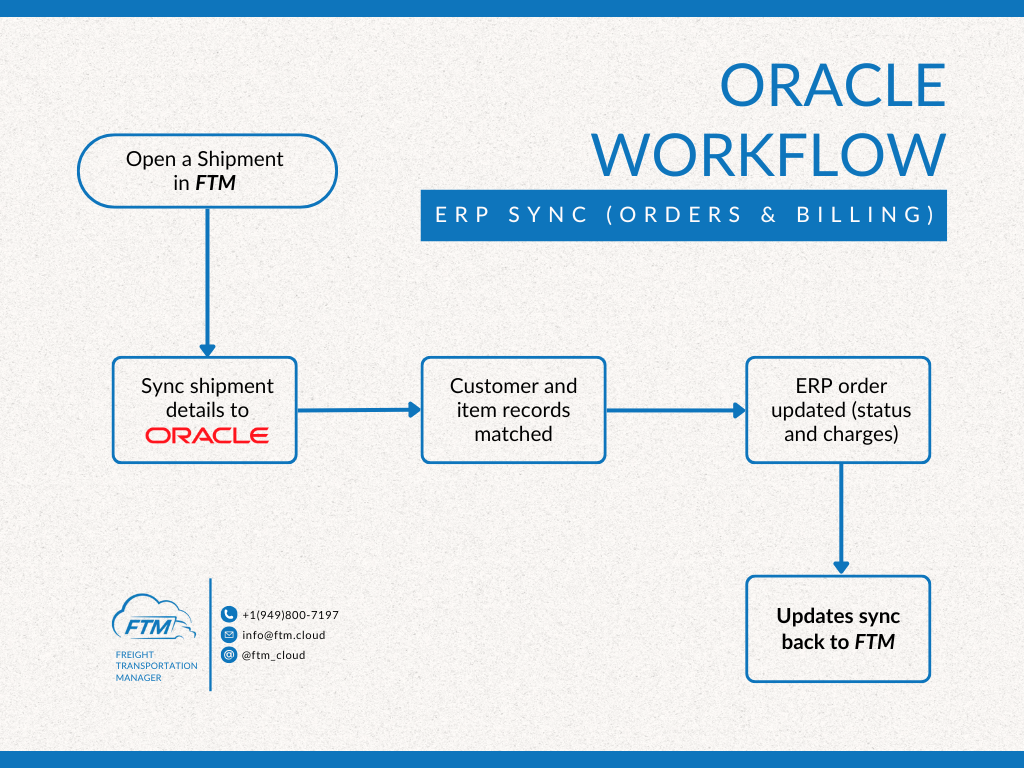
- Shipment is handled in FTM
- Shipment details are sent to Oracle
- Customer and item records are matched
- ERP order is updated
- Updates are synced back to FTM
Oracle Usage
Where you’ll use Oracle in FTM
Oracle integration actions happen directly inside the Shipment view in FTM.
Users do not need to switch systems to keep ERP data updated.
A) Open a shipment in FTM
Open a shipment that is ready for ERP synchronization.
FTM acts as the source for shipment execution details.
B) Sync shipment details to Oracle
FTM sends shipment data to Oracle, including:
- Customer information
- Items or services
- Charges
- Shipment status
C) Match customer and item records
Oracle matches incoming shipment data with existing ERP records.
This step ensures billing and reporting accuracy.
D) Update ERP order
Oracle updates the ERP order with:
- Current shipment status
- Financial charges
E) Receive updates back in FTM
ERP updates are returned to FTM so both systems stay aligned.
Notes
- Oracle remains the financial system of record
- FTM manages shipment execution
- The integration focuses on order and billing synchronization, not operational dispatch
