Truckstop Connected To Transportation Workflows
Truckstop helps transportation teams find carrier capacity. FTM helps manage everything that happens next, including carrier management, dispatch, visibility, billing, reporting, and workflow automation.
Carrier Sourcing Is Only The Beginning
Truckstop helps transportation teams identify carrier capacity. FTM connects those carrier relationships to operational workflows, compliance processes, customer visibility, and financial reporting inside Salesforce.
Truckstop helps transportation teams identify carrier capacity. FTM connects those carrier relationships to operational workflows, compliance processes, customer visibility, and financial reporting inside Salesforce.
The moment a carrier is found is the moment the operational work begins. FTM is where that work happens.
One Transportation Record
Truckstop helps teams identify carrier capacity. FTM manages loads, carriers, customers, dispatch, billing, reporting, and workflow automation inside Salesforce.
There is no separate transportation database to synchronize. Customer records, carrier records, shipment records, and operational workflows live in the same environment.
Nothing gets re-entered between systems. The same load record that started with a Truckstop-sourced carrier is the record dispatch works from, finance bills from, and leadership reports from.
What Changes Operationally
Connecting Truckstop to FTM does not just move data. It changes how the operational day runs after a carrier is sourced.
See how Truckstop-sourced capacity moves into FTM workflows.
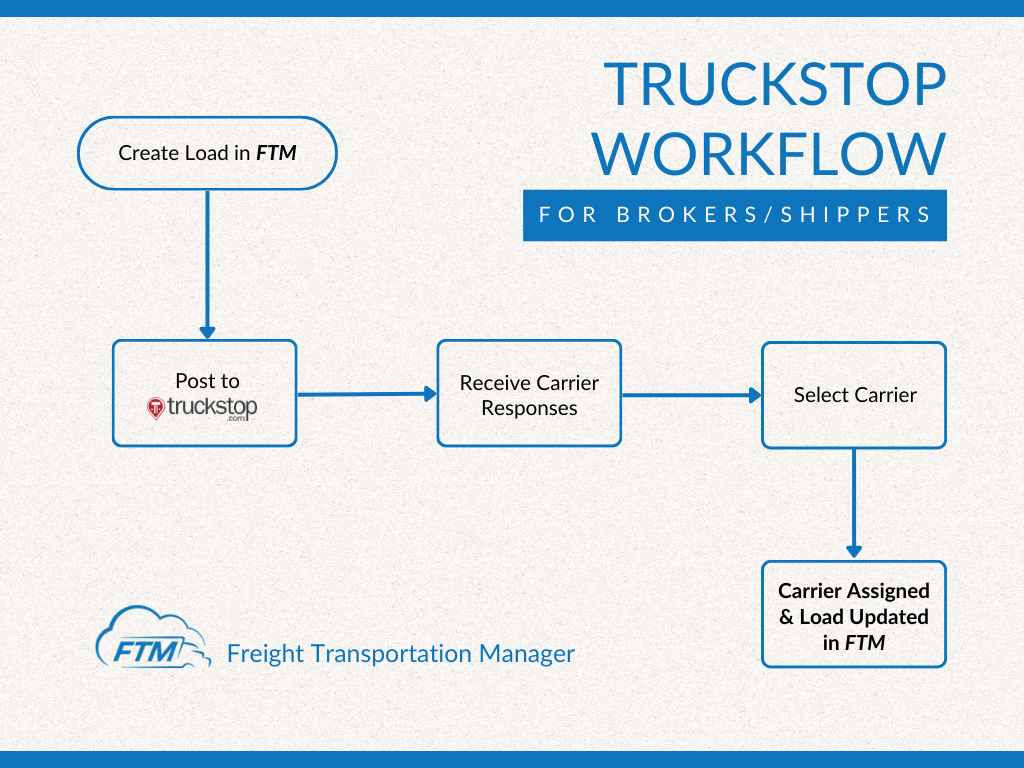
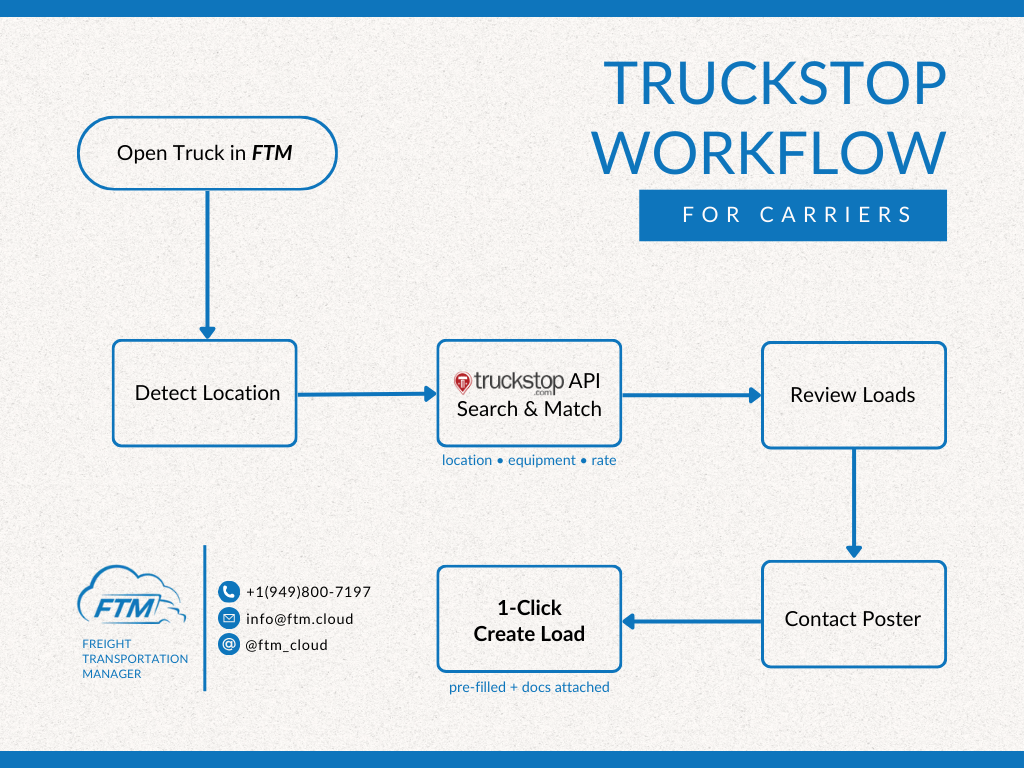
These workflow visuals show how broker, shipper, and carrier activity connects to the transportation record after carrier capacity is found.
Capacity sourcing connected to customer, load, dispatch, billing, and reporting workflows
Use this when explaining how Truckstop capacity moves into the broader operating system for broker and shipper teams.
Carrier workflow connected to onboarding, execution, visibility, billing, and reporting
Use this when explaining how carrier-side activity stays connected once work moves from sourcing to execution.
Carrier Relationships Beyond The Load Board
Once a carrier is selected, FTM manages the compliance, communication, and operational work that follows.
AutoFill Can Continue The Workflow
Once a carrier is sourced through Truckstop, the rate confirmation and other documents that follow can populate the rest of the record automatically.
What This Actually Changes For Your Team
Why Carrier Data Matters
Finding a carrier is only one step. Long-term transportation performance depends on what happens with that carrier relationship after the load is booked.
FTM helps transportation teams manage these activities from the same platform used for dispatch and reporting. A carrier sourced once through Truckstop does not have to be re-evaluated from scratch on the next load.
Built For Carrier Networks
Brokerages source carriers constantly. FTM is built for the reality of managing a large, recurring carrier network, not just a single load.
Visibility Beyond ELD Access
Many brokers and shippers do not have direct access to a carrier’s ELD or telematics system.
Questions teams ask before connecting Truckstop.
For questions specific to your operation, a transportation specialist can walk through your use case.
See how Truckstop and FTM work together.
Bring a carrier you currently manage through Truckstop. We’ll show how it moves from onboarding to dispatch, customer visibility, billing, and reporting inside FTM.
