Manual freight invoicing is often evaluated as a labor problem: how long does someone in billing spend creating an invoice after a load delivers?
On this page
That calculation misses most of the cost.
Before an invoice can leave the building, someone may need to find the POD, confirm the customer reference, compare the rate to the quote or contract, add fuel and accessorials, verify a detention approval, check whether the carrier charge changed, and enter the same financial information into an accounting platform.
When something does not match, the invoice stops.
Consequently, the real cost of manual billing sits across operations, customer service, finance, and working capital rather than inside one billing task.
APQC’s 2026 accounts payable benchmarking shows how wide administrative efficiency gaps can become. Top-performing organizations spend about $0.38 per $1,000 of revenue on the AP process, compared with about $0.92 among bottom performers. APQC is measuring accounts payable broadly, not freight invoicing specifically, so those figures should not be treated as a freight benchmark. Still, they demonstrate why process design matters at scale. APQC’s current accounts payable benchmark analysis provides the underlying data.
For transportation teams, the better question is therefore not, “How fast can we type an invoice?”
Ask how much work happens between delivery and a clean, accepted financial transaction.
Manual Freight Invoicing Costs More Than Billing Labor
The invoice itself may take only a few minutes to create.
However, a freight invoice depends on information generated throughout the entire load lifecycle.
Operations creates the shipment. Pricing establishes the customer charge. Carrier procurement creates the buy side. Dispatch records execution. Drivers and carriers provide delivery documents. Accessorials appear during transit. Finance then inherits whatever quality those earlier workflows produced.
If those records are disconnected, billing becomes a reconciliation function.
A billing specialist may spend three minutes creating the document and another fifteen resolving one missing POD, disputed detention charge, incorrect reference number, or rate mismatch.
That distinction matters because exception handling, not invoice creation, becomes the scaling constraint.
Once volume grows, companies typically respond by adding people. Yet additional headcount does not remove the underlying handoffs. It simply gives the organization more capacity to process them manually.
Where the Cost of Manual Freight Billing Actually Accumulates
1. Document chasing
Delivery may be complete while the financial workflow remains blocked.
The POD might be sitting on a driver’s phone, inside an email thread, in a carrier portal, or attached to the wrong shipment.
As a result, billing starts with document retrieval rather than invoicing.
The operational fix is to connect delivery evidence to the shipment as part of execution. FTM’s freight document workflow creates and stores transportation documents against the same load record used throughout the shipment lifecycle.
2. Rate and charge reconciliation
The invoice needs to reflect what should actually be billed, not merely the original quote.
Fuel may have changed. A stop was added. Detention was approved. A lumper receipt arrived. An accessorial may be customer-billable but not yet documented.
Therefore, manual billing teams repeatedly compare operational records with rate confirmations, customer agreements, emails, and spreadsheets.
That creates decision latency exactly when the load should be moving toward financial close.
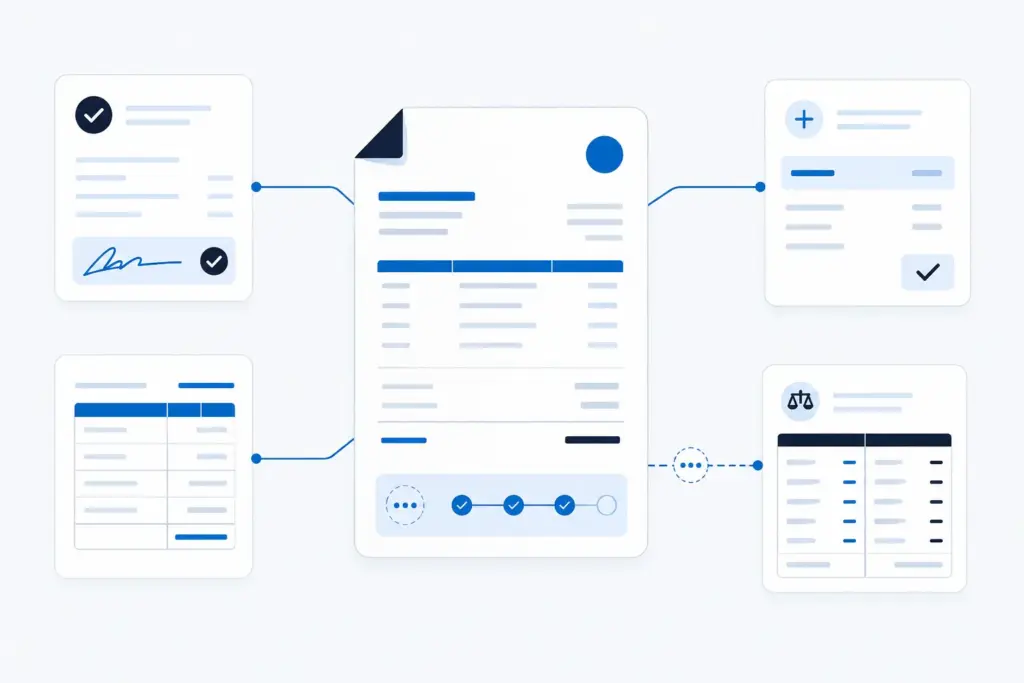
3. Customer-specific requirements
Enterprise customers rarely accept invoices based only on amount and date.
They may require a purchase order, load number, BOL number, POD, location code, reference field, cost center, EDI transaction, or supporting document.
A missing field can turn a correct invoice into an unusable invoice.
Moreover, the rework often occurs days later, when the person who understands the shipment has already moved on to other loads.
4. Accounting re-entry
A TMS may know the customer, load, charges, carrier cost, invoice number, and settlement status while the accounting system requires someone to enter or import much of that information again.
Each manual handoff creates another opportunity for mismatch.
FTM’s accounting integrations currently include QuickBooks, Sage, Xero, Oracle NetSuite, and Accounting Seed, allowing configured invoice and settlement data to move without recreating the financial record manually.
5. Disputes and corrections
A rejected invoice costs more than the correction itself.
Someone has to receive the rejection, understand the reason, reopen the load, locate supporting information, make the change, resend the invoice, and sometimes update accounting.
Meanwhile, collection is delayed.
The expensive unit of work is therefore not the invoice. It is the invoice exception.
Build the Cost Model Around Touches, Not Invoice Count
A useful business case separates straight-through invoices from exception invoices.
Start with four inputs:
- Annual invoice volume
- Average human minutes per clean invoice
- Percentage requiring exception handling
- Average minutes required per exception
Then add the loaded hourly cost of the employees doing the work.
For example, consider an operation processing 24,000 freight invoices per year.
Assume:
- 6 minutes of routine handling per invoice
- 20% require an additional 15 minutes of investigation
- Loaded labor cost is $35 per hour
Routine processing consumes 2,400 hours annually.
The exception layer adds another 1,200 hours.
At the assumed labor rate, that represents $126,000 per year in direct processing labor.
That number is illustrative, not an industry benchmark. More importantly, it still excludes collection delays, management review, customer service effort, accounting reconciliation, and the cost of incorrect charges.
The model becomes more useful when your team replaces the assumptions with actual workflow measurements.
The Largest Cost Is Often the Delay Between Delivery and Invoice Readiness
Payment terms usually begin when the customer receives an acceptable invoice, not when the truck completes delivery.
Consequently, a load that delivers Monday but cannot be invoiced until Thursday has already added three avoidable days to the cash cycle.
Those delays compound.
A company may have strong revenue and acceptable gross margin while still financing an unnecessarily large receivables balance because invoice readiness lags behind delivery.
This is why teams should track delivery-to-invoice time separately from DSO.
DSO measures collection performance after invoicing. Delivery-to-invoice time exposes the operating delay before the payment clock even starts.
FTM’s Billing and Reporting connects tariff-based invoicing, carrier settlements, accounting integrations, and reporting to the load record, which allows financial processing to begin from existing transportation data instead of rebuilding it afterward.
What Freight Invoice Automation Actually Saves
Good automation does not simply turn a PDF invoice into a digital invoice.
It removes redundant work between operational execution and financial completion.
Generate invoices from governed load data
Customer, shipment, rate, reference, delivery, and charge information should already exist before billing begins.
Therefore, the system should use those records to generate the invoice rather than asking a billing user to reconstruct them.
FTM’s freight invoice workflow generates the invoice from the same underlying load information used earlier in the document lifecycle.
Validate before sending
Automation should check required references, document status, charge approval, customer rules, and delivery evidence before an invoice is released.
Straight-through invoices can proceed.
Exceptions should stop.
This is a better operating model than automating every invoice indiscriminately.
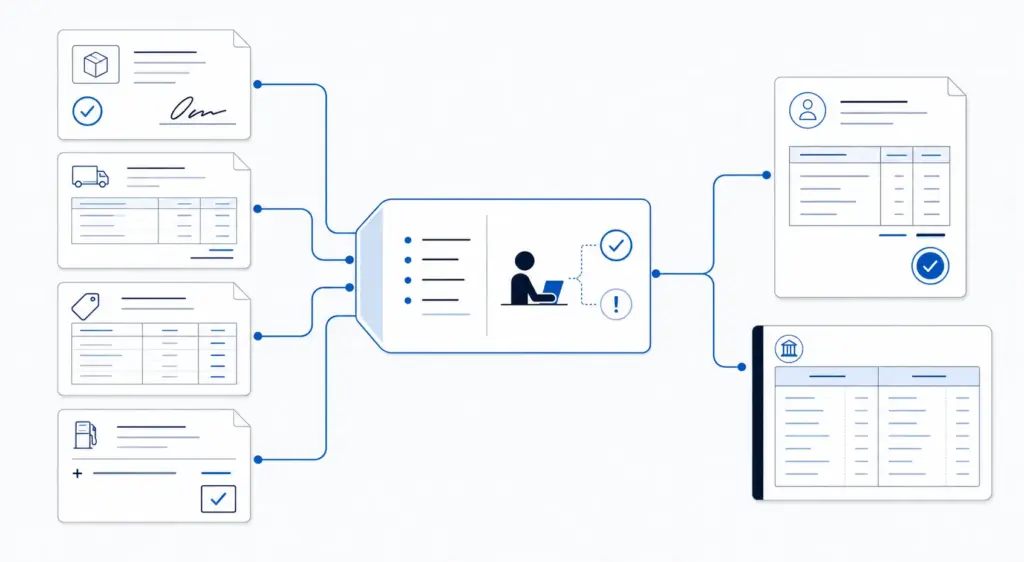
Turn document intake into structured financial work
Carrier invoices, PODs, rate confirmations, and related documents often contain information someone would otherwise retype.
FTM AutoFill reads incoming freight documents, matches them to existing transportation records, drafts charges, pay items, and invoice-ready records, and keeps a human approval step before information is committed.
Send financial data to accounting without recreating it
Once an invoice is approved, the accounting handoff should preserve the same customer and transaction context.
For example, FTM’s QuickBooks integration keeps invoices and carrier costs associated with the shipment that generated them rather than treating accounting as a disconnected end process.
Remove customer document requests
Automation can continue after invoice generation.
If customers repeatedly email billing for invoice copies, PODs, or shipment history, self-service removes another layer of administrative work.
The FTM Customer Portal can expose selected shipment documents and invoice information from the same Salesforce record while maintaining account-specific access controls.
Electronic Invoicing Is Not the Same as Automated Invoicing
A PDF sent by email is electronic, but the underlying process may still be completely manual.
The same distinction applies to EDI.
X12 maintains the 210 Motor Carrier Freight Details and Invoice transaction set for exchanging motor carrier invoice and freight-charge information electronically. That standard solves an important transmission problem: it defines how structured invoice information can move between trading partners. X12’s official transportation transaction-set documentation describes the 210 and related transportation messages.
However, structured transmission does not automatically solve upstream problems.
If the wrong accessorial entered the load, the EDI message can transmit the wrong charge perfectly.
Likewise, an automated invoice can still be incomplete if the POD, customer reference, or approval rule never reached the billing workflow.
Automation creates value when the financial transaction inherits clean operational data.
What Should Still Require Human Review?
The target should be touchless routine billing, not touchless judgment.
Human review remains valuable when:
- The customer charge differs from the contracted or quoted rate.
- An accessorial lacks approval or evidence.
- The carrier invoice conflicts with the expected cost.
- Delivery documents contain exceptions.
- A customer-specific billing requirement is missing.
- The system cannot confidently match a document to a load.
- A material correction would affect margin.
- A duplicate invoice may exist.
Instead of asking employees to inspect every invoice, automation should direct their attention toward these exceptions.
That changes the billing role.
People spend less time transcribing known information and more time resolving the financial cases where judgment actually protects revenue.
What to Automate First
Do not begin with the most complicated invoice in the operation.
Phase 1: Invoice readiness
Automate checks for delivered status, POD availability, required references, and approved charges.
This stage alone can reduce the number of loads sitting in an ambiguous “delivered but not billable” state.
Phase 2: Invoice generation
Generate customer invoices directly from approved load data.
Meanwhile, preserve an approval step for accounts or shipment types that require it.
Phase 3: Accounting handoff
Once the financial record is approved, send the configured transaction to the accounting platform without manual re-entry.
Reconciliation should focus on genuine differences rather than predictable duplication.
Phase 4: Exception intelligence
Finally, classify why invoices stop.
Track missing PODs, unauthorized charges, rate mismatches, missing customer references, duplicate documents, and other root causes.
That reporting tells leadership where upstream process changes will create the next savings.
| Billing Step | Manual Workflow | Connected Automation | What Still Needs Review |
|---|---|---|---|
| Invoice readiness | Billing checks delivery, POD, customer references, and charges one load at a time. | Rules verify the required conditions automatically and surface only incomplete loads. | Missing evidence, unusual customer rules, and conflicting shipment status. |
| Charge validation | Users compare the quote, rate confirmation, emails, accessorials, and carrier invoice manually. | Expected and actual charges stay connected to the load and can be compared before invoicing. | Rate differences, unsupported accessorials, and material margin changes. |
| Document processing | PODs and invoices are opened, read, matched, and keyed into the system by a person. | Document intelligence extracts and matches information to the existing transportation record. | Low-confidence fields, unmatched documents, or conflicting information. |
| Invoice creation | Billing rebuilds customer and shipment information in an invoice template or accounting system. | The invoice is generated from approved shipment and financial data already on the load. | Customer-specific exceptions and unusual invoice formats. |
| Accounting handoff | Invoice and settlement information is typed, exported, or reconciled again. | Approved financial records move through the configured accounting integration. | Integration exceptions and accounting-policy differences. |
| Customer follow-up | Billing or customer service repeatedly emails invoice copies and supporting documents. | Approved customers access invoices, PODs, and shipment history through self-service. | Disputes, corrections, and sensitive financial questions. |
A Better ROI Calculation for Freight Invoice Automation
Avoid building the automation case around labor reduction alone.
Measure five categories.
1. Processing labor
How many human minutes disappear from routine invoices?
2. Exception labor
How much investigation time is removed because documents, rates, approvals, and charges are already connected?
3. Invoice latency
How many hours or days move out of the delivery-to-invoice cycle?
4. Billing leakage
How much valid revenue is currently missed because accessorials, fuel, stops, or other charges do not reach the invoice?
5. Reconciliation effort
How much time does finance spend matching TMS records, invoices, payments, and accounting entries at month-end?
Together, these measures create a far more credible automation case than claiming that an invoice now takes “seconds.”
The goal is not faster document creation.
The goal is fewer financial touches per completed load.
Where FTM Changes the Freight Billing Workflow
FTM approaches billing as the financial continuation of the load rather than a separate back-office process.
The FTM Billing and Reporting workflow keeps customer charges, carrier pay, invoices, accounting status, and reporting connected to transportation activity inside Salesforce.
Meanwhile, AutoFill can convert incoming freight documents into reviewable operational and financial records. Accounting integrations carry approved transactions into the finance stack. Customer Portal can then expose invoice and POD information without another manual request.
For brokers specifically, the FTM broker platform connects unbilled loads, accessorial exposure, invoice status, shipment documents, and margin within the same Salesforce reporting layer.
The architecture matters because billing automation is only as reliable as the records feeding it.
If operations and finance work from different versions of the load, automation merely moves inconsistencies faster.
When both sides share the same governed shipment record, routine freight can move toward financial close with far less reconstruction.
Manual Freight Invoicing Is an Operating Model Problem
A manual invoice is rarely expensive because typing is difficult.
It becomes expensive because humans are compensating for disconnected documents, incomplete shipment data, inconsistent charge rules, missing approvals, accounting handoffs, and customer-specific requirements.
Automation should remove those handoffs in sequence.
First, capture clean operating data. Then connect documents and charges. Next, validate invoice readiness. Finally, let routine transactions flow while exceptions remain visible to people.
That is where the savings come from.
The strongest freight billing operation is not the one that creates invoices fastest. It is the one that needs the fewest people to reconstruct what already happened.
Frequently Asked Questions
See What Happens Between Delivery and a Clean Invoice
Bring one of your current billing workflows. FTM can show how load data, PODs, charges, invoice approval, accounting, and customer access connect inside Salesforce.
Review Your Billing Workflow
Great information shared.. really enjoyed reading this post thank you author for sharing this post .. appreciated